Review Tables
Extract structured data from any document
Turn contracts, court decisions and due diligence packets into structured tables. Compare clauses and terms at a glance, no manual transcription.
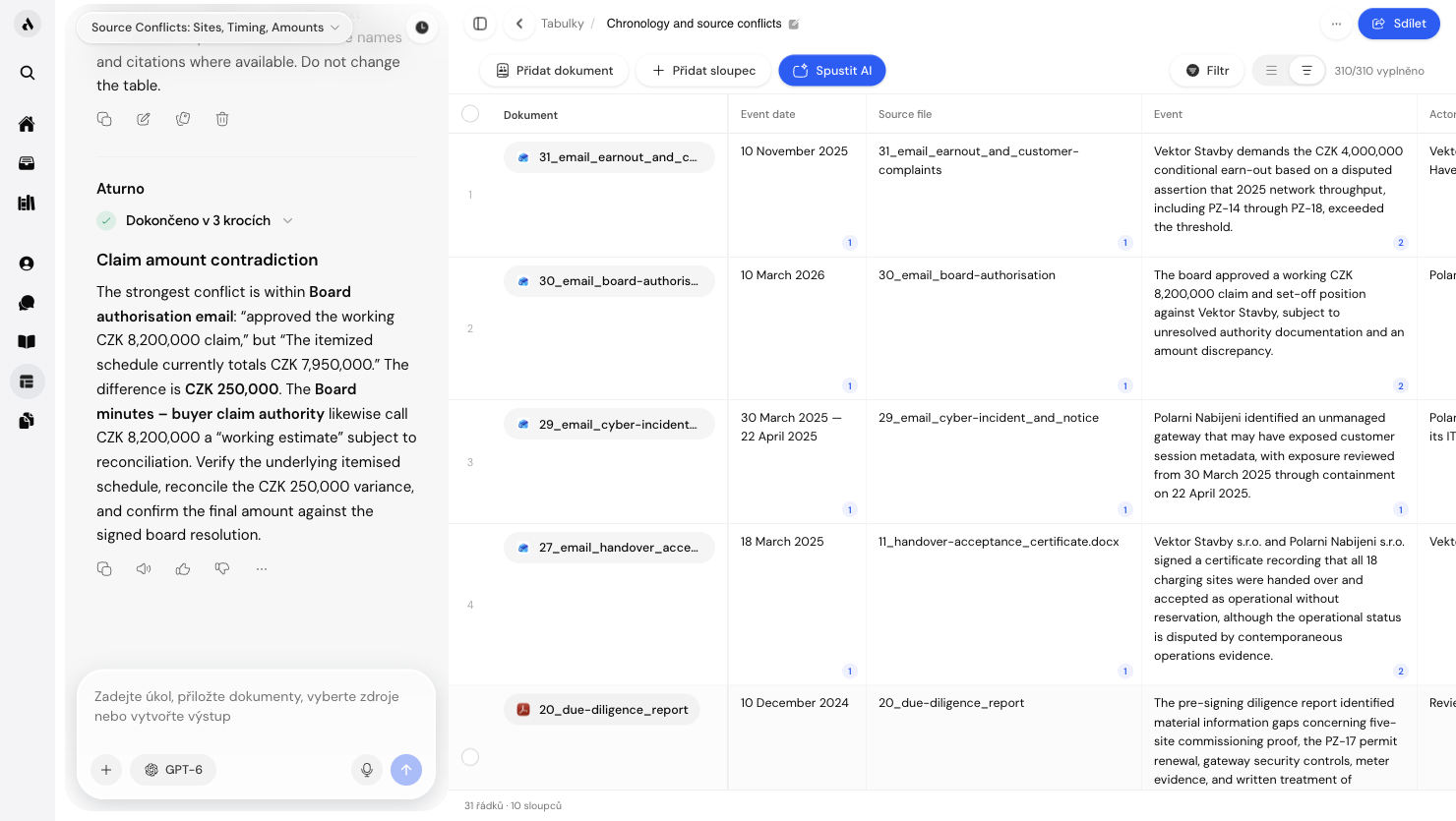
How it works
Upload documents
Drop one or many contracts, decisions or other legal documents into a table. PDF, DOCX, scans. Aturno handles all of them.
Define columns
Describe the fields you want to extract: parties, price, term, termination clauses, penalties. AI understands plain-language descriptions, no templates required.
Work with the results
Sort, filter and compare rows. Export to CSV or XLSX. Click any cell to jump back to the source passage with a citation.
What you can do
Frequently asked questions
PDF (including scanned files via OCR), DOCX, TXT and images. The AI extracts data from both structured and unstructured documents, from standardised contracts to non-standard court filings.
Accuracy depends on document quality and column definitions. For typical contracts, accuracy is 90–98%. Low-confidence cells are always flagged for manual review, so no extracted value is unchecked.
Yes. Aturno automatically applies OCR to scanned PDFs and image files. For well-readable scans, results are comparable to natively digital documents.
Yes. All documents are encrypted with AES-256 at rest and TLS 1.3 in transit. Tables are part of your encrypted vault with the same GDPR guarantees.

Request access to Aturno.
Access is by invitation. Tell us about your practice and we set up your account.